PDFs are incredibly popular, used for everything from business documents to everyday tasks at home. In fact, over 100 billion PDFs were added to OneDrive and SharePoint in just last year – and its popularity as a file format shows no signs of slowing down. We can bet you’re fans of using PDF’s, and so we’re excited to walk you through everything you can do with this popular file format in OneDrive. Whether you’re annotating documents, bookmarking pages, or merging PDF documents, OneDrive offers a robust set of tools to make managing PDFs effortless and efficient.
There’s already so many things you can do with your PDF’s whether you’re using OneDrive at home or at work:
Freemium PDF features in OneDrive
OneDrive for Consumer
OneDrive for Business
Annotation and markup tools
Easily collaborate and share feedback by using digital ink, highlighting text, drawing shapes, and inserting sticky notes directly onto your PDF files.
⚫
⚫
Bookmark PDF pages
Navigate effortlessly through lengthy documents by adding bookmarks to important sections, just like using tabs in a physical book.
⚫(OneDrive for iOS/iPadOS and Android only.)
⚫(OneDrive for iOS/iPadOS and Android only.)
Change the appearance of your PDF
Enhance your reading experience by adjusting the background color of your PDFs to dark mode, sepia mode, or light mode. Ideal for reading in different lighting conditions.
⚫ (OneDrive for Android only.)
⚫ (OneDrive for Android only.)
Rotate PDF pages
Correct the orientation of scanned documents by rotating individual or multiple pages 90° clockwise. Perfect for fixing upside-down or sideways pages.
⚫
⚫
Jump to specific PDF page
Quickly access specific sections by jumping directly to any page in your PDF documents with just a click.
⚫
⚫
Display table of content
Effortlessly navigate through long documents using the clickable table of contents.
⚫(Coming soon to OneDrive for web)
⚫(Coming soon to OneDrive for web)
Premium PDF features in OneDrive
OneDrive for Consumer [1]
OneDrive for Business [2]
Extract PDF pages
Easily extract specific pages from your PDF documents to create new, smaller files. Ideal for sharing only the most relevant sections.
⚫
⚫
Merge PDFs
Seamlessly combine multiple PDFs into a single, organized document. Perfect for consolidating reports, presentations, and more.
⚫
⚫
[1] Premium features are available to OneDrive users with M365 Basic, M365 Personal and Family subscriptions.
[2] Premium features are accessible to all OneDrive commercial users with SharePoint in their subscription plan.
Let’s take a look first at the features that you can use for free on OneDrive.
Enhance Collaboration with Annotation and Markup Tools
PDFs are used in a variety of collaboration scenarios, and to help, we are releasing new annotation and markup features for easier collaboration. Imagine you’re working on a project with your team, and you need to share feedback or highlight important sections of a PDF. Instead of sending endless emails or starting chats, you can simply use the PDF annotation tools available in OneDrive. These features allow you to use digital, hand-drawn ink, highlight text, draw shapes, and even insert sticky notes directly onto your PDF. The annotations and notes appear on your document when you share them with other colleagues via OneDrive.
Here’s how you can easily annotate a PDF in OneDrive:
Find the PDF you want to annotate in your OneDrive and tap to open it.
At the bottom of the screen, tap on Annotation to enter editing mode.
Choose an annotation tool from the bottom of the screen or select a drawing markup tool from the top.
Change the pen color by tapping on the color picker at the bottom of the screen and choose from any of the preset colors. You can also adjust the thickness and transparency of the ink here.
When you’re done, just tap Done at the top left of the screen, and then tap Save at the top right, to save your changes back to OneDrive.
Now when you share your annotated PDF via OneDrive, your colleagues will see your annotations too.
Navigate PDFs Effortlessly with Bookmarks
Scrolling through a lengthy PDF document and trying to locate a specific section can be a frustrating experience, right? That’s where the PDF bookmark feature is handy. Think of bookmarks in PDFs as your personal navigation tool, much like the tabs you might use in a physical book. They allow you and recipients to easily jump directly to important sections with just a click, making your reading experience smoother and more enjoyable.
To use bookmarks:
At the bottom of the screen, tap Bookmark to add a bookmark to the current page you’re viewing.
After adding a bookmark, you’ll see a confirmation dialog at the top of the screen.o view all the pages with bookmarks, tap the Thumbnail icon at the top right of the screen.
At the top of the screen, tap Bookmarked to see only the pages with bookmarks. From this view, you can also navigate to a specific page by tapping on it.
From the All Pages view, you can select multiple pages to add new bookmarks or remove existing ones.
Jump to Specific Sections with Table of Contents
Also helping you to more easily navigate a lengthy PDF is OneDrive’s handy Table of Contents feature. When your PDF has an embedded table of contents, OneDrive will display the chapter or section titles along with their page numbers, making it a snap to jump to specific chapters or sections.
To view a PDF’s table of contents:
If the PDF includes the necessary metadata for a table of contents, you’ll see an icon at the top right of the screen. Clicking on it, opens the table of contents.
The table of contents with clickable chapters or sections will appear on the left side of the screen.
Optimized PDF Viewing with Reading Mode
You might have to read a PDF under varying lighting conditions. You can maximize your comfortability and readability of your document by adjusting the Appearance of that PDF. When viewing a PDF in OneDrive, you can adjust the background to dark mode, sepia mode, or light mode, making it easy to read no matter the type of environment.
To change the appearance of a PDF:
Open a PDF in OneDrive for Android and tap to expand the bottom sheet of the screen.
Tap Appearance.
In the Appearance window, select the colored circle for day, night, or sepia mode.
Adjusting a PDF’s Orientation with Page Rotation
With PDF page rotation, you can simply adjust the orientation of any of the pages within a PDF document. This is especially useful for fixing multi-page scanned documents that may have been saved upside down or sideways. With the Rotation feature, you can choose to rotate all pages or just specific ones within your PDF.
To rotate a single page:
Open the OneDrive iOS or Android app, then open the PDF with the page you want to rotate.
Scroll to the page which you want to rotate. Press anywhere there isn’t text. Once a menu pops up, tap Rotate to rotate the page 90 degrees clockwise.
To rotate multiple pages:
Open the OneDrive iOS or Android app, then open the PDF with the pages you want to rotate.
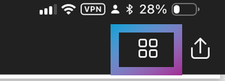
At the top of your screen, tap the grid icon to show a thumbnail view of the PDF’s pages.
Tap Select.
Tap to select the pages which you want to rotate or tap Select all if you want to rotate them all.
Tap the rotate icon on the toolbar along the bottom of your screen to rotate all the selected pages 90 degrees clockwise.
Exploring OneDrive’s Premium PDF Features
Now that we’ve explored all the free PDF features available, let’s dive into some exciting features available to our M365 Consumer customers with M365 Basic, M365 Personal, or M365 Family, and to our M365 Business customers with SharePoint Premium..
Extract Pages from PDFs
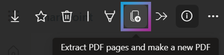
For our M365 paid customers, you can easily split a PDF into multiple smaller PDFs using the Extract tool. This makes it simple to pick and separate the pages you need, creating a brand-new (shorter) PDF file in just a snap!
How to split a PDF file using the Extract feature on OneDrive for Web:
Open the PDF file you want to split.
At the top left of the screen,click Extract action
Select page(s) to extract then click Extract on top left of the screen.
Choose where you’d like to save the new PDF file. You can also rename the file at the bottom of the save dialog then click Save here.
When finished, a confirmation dialog appears at the bottom of the screen.
This feature also works on OneDrive on iOS, iPadOS, and Android. Here’s how:
Open the PDF file you want to split.
At the top left of the screen, tap see more button (…) to see the new menu.
Select Extract from the menu options.
Merge Multiple PDFs
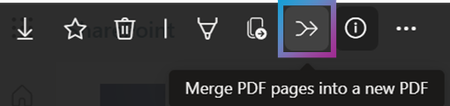
While the Extract feature let’s you pick out individual pages from a PDF, the Merge feature lets you easily combine multiple PDF files into a single PDF. It’s a simple as picking the files you want to merge, and voila – you’ve got a brand-new, merged PDF saved directly to your OneDrive or SharePoint Document Library.
Here’s how you can easily merge multiple PDF files into one PDF on OneDrive for web:
Open one of the PDF files you want to combine in OneDrive for Web.
At the top left of the screen, click Merge action.
Choose two or more PDF files you want to merge from the merge dialog box. You can drag and drop the files to rearrange their order. Once done, click Next.
Choose where you’d like to save the new PDF file. You can also rename the file at the bottom of the save dialog then click Save here.
When finished, a confirmation dialog appears at the bottom of the screen.
Just like Extract, you can also use Merge on OneDrive on iOS, iPadOS, and Android:
Open one of the PDF files you want to combine in OneDrive.
At the top left of the screen, tap see more button (…) to see the new menu.
Select Merge.
Thanks
We’ve been on a focused journey enhancing the PDF features in OneDrive, because we know that for so many of our customers, it’s their file format of choice. We hope you find our new and existing PDF features in OneDrive useful in your life at work or at home.
But we don’t want to stop here, and we need your feedback to keep improving! Dive into these features, give them a spin, and let us know what you think. What works great? What could be better? And most importantly, what do you want to see next?
Drop your comments below or fill this short survey directly. Your insights are invaluable, and together, we can make OneDrive the ultimate tool for all your PDF needs.
Happy exploring! 📄✨
About the Author
Belle Podeanu is a product manager at Microsoft. She collaborates with Office, Edge, and other platforms to provide comprehensive cross-device functionalities for OneDrive and SharePoint, including productivity features and Copilot-enabled experiences. In her free time, she enjoys playing soul-like games, ARPGs, MMOs, and asymmetrical games.
Stay updated on OneDrive and SharePoint news by connecting with Belle here.
Complete the survey for a chance to win either a 42” Smart TV, iPad, or £100 worth of John Lewis vouchers. MM Response: Housing For Women think they can buy me. This is breaching my RIGHTS after the terrorism of Samantha Gibbs and Trina Philbert who referred me to the Maudsley. But Samantha Gibbs visit to my home on the 12th January 2023 with a young man she claimed she bring to introduce as my Housing Officer is in breach of the Equality Act 2010 Protected Characteristics. The young man tried to assault me at my door. Since the incident was recorded I will use that as part of my evidence against Housing For Women. I called the Police 3 times before they turned up and did not come because of my call. They came to harass, bully and intimidate me on behalf of Housing for Women. The CAD 4591/12JAN23 PC 2634AS and PC 3076AS. Whilst am at it let me list in no particular order the TERRORISM of Samantha Gibbs and Debbie Gilchrist from I wrote the letter to Housing for Women to be kept on my FILE. Because Housing For Women will be exposed for what they are.
Dear Ms Mervelee Myers, Housing for Women has asked us to carry out an independent survey to find out if you are happy with your home and the services they provide. MM Response: Let me put on record that Housing For Women targeted me after I did an online survey and was asked if I wanted Housing For Women to contact me about the answers. Thats when someone sneaked in and leave threatening letters on the mats outside my door. The behaviour of H4W left me concerned that I was at risk in my own home. What made matters worse is the fact H4W was abusing their Power of Authority using the key I had given them to trigger my PTSD. From then I no longer felt safe in my own home. But what happened since has alerted me to the plots concocted by H4W and Debbie Gilchrist and the Police.
The survey should take no more than ten minutes to complete and will help Westway to improve the services you receive. MM Response: Mervelee Myers must teach H4W the lesson that they will not forget. H4W is a BULLY targeting other RESIDENTS. I see them campaigning online. If WESTWAY is not aware of H4W TERRORISM against Residents then they are not fit for purpose and must be investigated too.
As an added incentive everyone who takes part will be entered into a prize draw. We will select three winners at random – who will win either a 42” Smart TV, iPad, or £100 worth of John Lewis vouchers. MM Response: Who dares WESTWAY thinking they can BUY me after the treatment of H4W against me? To complete the survey please click here >>
If you have any questions or would like any help completing the survey you can email me or call 01273 287114. MM Response: Let me make it absolutely clear that MERVELEE MYERS will not fall for this offer of help. Because Housing For Women will be held accountable and I will publish an account of living at 16 Alma Grove Bermondsey Southwark after Housing For Women rescued me from Domestic Abuse. Then joined with Debbie Gilchrist to target me.
Finally, we wish to assure you that what you tell us will be confidential. MM Response: What do you know about CON-FEE-DENTIAL? I have complained to the Housing Ombudsman and H4W accepted some of the complaints so let H4W make an ASS of themselves about SURVEY.
We will not identify any individual tenants, unless you give us permission to do so. MM Response: How about asking CRIMINALS at H4W to return my DATA to the PORTAL.
We will not share your personal details with any other organisation. MM Response: You don’t have to because I will share all those involved in H4W TERRORISM and TRAFFICKING.
Acuity Research & Practice Ltd Your landlord has asked us to carry out an independent survey to find out if you are happy with your home and the services they provide Unsubscribe
Mervelee Myers FD (Open)
Mental Health & SEND Advocate & Activist.
On this day
We hope you enjoy looking back and sharing your memories on Facebook, from the most recent to those long ago.
We hope you enjoy looking back and sharing your memories on Facebook, from the most recent to those long ago.
Your stories from a year ago
Look back on these moments from your story archive.
Complete the survey for a chance to win either a 42” Smart TV, iPad, or £100 worth of John Lewis vouchers. MM Response: Housing For Women think they can buy me. This is breaching my RIGHTS after the terrorism of Samantha Gibbs and Trina Philbert who referred me to the Maudsley. But Samantha Gibbs visit to my home on the 12th January 2023 with a young man she claimed she bring to introduce as my Housing Officer is in breach of the Equality Act 2010 Protected Characteristics. The young man tried to assault me at my door. Since the incident was recorded I will use that as part of my evidence against Housing For Women. I called the Police 3 times before they turned up and did not come because of my call. They came to harass, bully and intimidate me on behalf of Housing for Women. The CAD 4591/12JAN23 PC 2634AS and PC 3076AS. Whilst am at it let me list in no particular order the TERRORISM of Samantha Gibbs and Debbie Gilchrist from I wrote the letter to Housing for Women to be kept on my FILE. Because Housing For Women will be exposed for what they are.
Dear Ms Mervelee Myers, Housing for Women has asked us to carry out an independent survey to find out if you are happy with your home and the services they provide. MM Response: Let me put on record that Housing For Women targeted me after I did an online survey and was asked if I wanted Housing For Women to contact me about the answers. Thats when someone sneaked in and leave threatening letters on the mats outside my door. The behaviour of H4W left me concerned that I was at risk in my own home. What made matters worse is the fact H4W was abusing their Power of Authority using the key I had given them to trigger my PTSD. From then I no longer felt safe in my own home. But what happened since has alerted me to the plots concocted by H4W and Debbie Gilchrist and the Police.
The survey should take no more than ten minutes to complete and will help Westway to improve the services you receive. MM Response: Mervelee Myers must teach H4W the lesson that they will not forget. H4W is a BULLY targeting other RESIDENTS. I see them campaigning online. If WESTWAY is not aware of H4W TERRORISM against Residents then they are not fit for purpose and must be investigated too.
As an added incentive everyone who takes part will be entered into a prize draw. We will select three winners at random – who will win either a 42” Smart TV, iPad, or £100 worth of John Lewis vouchers. MM Response: Who dares WESTWAY thinking they can BUY me after the treatment of H4W against me? To complete the survey please click here >>
If you have any questions or would like any help completing the survey you can email me or call 01273 287114. MM Response: Let me make it absolutely clear that MERVELEE MYERS will not fall for this offer of help. Because Housing For Women will be held accountable and I will publish an account of living at 16 Alma Grove Bermondsey Southwark after Housing For Women rescued me from Domestic Abuse. Then joined with Debbie Gilchrist to target me.
Finally, we wish to assure you that what you tell us will be confidential. MM Response: What do you know about CON-FEE-DENTIAL? I have complained to the Housing Ombudsman and H4W accepted some of the complaints so let H4W make an ASS of themselves about SURVEY.
We will not identify any individual tenants, unless you give us permission to do so. MM Response: How about asking CRIMINALS at H4W to return my DATA to the PORTAL.
We will not share your personal details with any other organisation. MM Response: You don’t have to because I will share all those involved in H4W TERRORISM and TRAFFICKING.
Acuity Research & Practice Ltd Your landlord has asked us to carry out an independent survey to find out if you are happy with your home and the services they provide Unsubscribe
Mervelee Myers FD (Open)
Mental Health & SEND Advocate & Activist.
On this day
We hope you enjoy looking back and sharing your memories on Facebook, from the most recent to those long ago.
We hope you enjoy looking back and sharing your memories on Facebook, from the most recent to those long ago.
Your stories from a year ago
Look back on these moments from your story archive.
Feb 16
Feb 16
Feb 16
Only you can see this unless you share it
Select Stories
Share
Your stories from 2 years ago
Look back on these moments from your story archive.
Thank you for your kind words. It has been a pleasure getting to know you these past few months. It would be lovely to meet you in person one last time, if you would like? Please just let me know. My last day is on Friday 18th March. It would be good to see you before then, but I’ll leave it with you to decide. ??
Thank you for informing me that you no longer want to work with our service. I will close your file effective immediately. Please know that you are always welcome to attend our workshops and events in future if you would like to. We will definitely miss your presence at the Peckham hub.
Please send referrals or client details using our secure CJSM email account: womenshubs@pecan.cjsm.net .
If you do not have access to secure email, please send it to: womenshubs@pecan.org.uk . Please send the referral as a password protected document and text the password to 074 3223 9934. This is in line with GDPR regulations to protect sensitive client information.
To: Tonye Babudoh <Tonye.Babudoh@pecan.org.uk>; ratty.nembhard1956@gmail.com <ratty.nembhard1956@gmail.com>
Subject: Re: Hello!
Hi Tonye
I hope you are well too.
Thanks for considering me in wanting to share your news in person or over the phone. I really appreciate the fact that your opinion of me has changed and I don’t want to lose contact with you. Because you are one of the persons I want to get acknowledged for taking time to listen to me. Unlike the Career CRIMINALS at the Judiciary of England and Wales and Criminal Justice System and Crown Prosecution Services colluding with LEYF to give me a Criminal Record needing Emotional Regulation Treatment that’s Entrapment presided over by HMPPS.
I, MERVELEE MYERS do not need the support of Southwark and Lewisham Women’s Service. I have not been informed about the Team qualifications and experiences despite asking verbally and in writing to be informed about the person’s am dealing with.
I was stitch up by the Solicitors that I told I needed a Voice to put my case to the Croydon Magistrates Court. I have 3 different Solicitors dealing with me at Court. Despite asking for amendments at the first Hearing it was not done. At the second, the female Solicitor came 5 minutes before the case, did not consult with me. Went into Court saying she was there to hear me Sentence. But Tim Bittlestone takes the biscuits. Because he was in Court to build his status to say he stopped me going to jail. But we will have the book about the corruption.
Does Southwark Women’s Space support me with any of my needs? I got Sarah Lawson replaced by Julie Olayinka, a Brainwashed African woman who thinks she is superior to MERVELEE MYERS the Criminal needing ERT. As for Jillian McTaggart, she is just an intellectual Imbeciles reading from a manual. She reminds me of the LEYF Leadership and Management unable to string 3 words together to form a Sentence. I doubt anyone in your Team can support my NEEDS???
Your Service is CRAP go to https://fight4justiceadvocacy.business.site for information about how I have had to invest in myself. Also https://www.youtube.com/watch?v=taA14IVIm9g is another investment. I have WordPress, Google My Business and YouTube channels to share my stories about miscarriages of justice by HMCTS CPS CJS DBS MOPAC IOPC JCIO BSB SRA CCMCC HMPPS covering corruption.
When am finished those involved with 8 years of Discrimination after the death of my mother with dementia will know who is MERVELEE MYERS and why my husband who will be 99 on the 8th March 2022 must be Compensated for being TRAUMATISED.
All the best in your new job, but be part of my Thesis for breaking down barriers erected by Richard Harty UEL Paedophile RINGS Protected by law.
Regards
MERVELEE MYERS
Sent from my Galaxy
——– Original message ——–
From: Tonye Babudoh <Tonye.Babudoh@pecan.org.uk>
Date: 10/02/2022 09:20 (GMT+00:00)
To: Mervelee Myers <ratty.nembhard1956@gmail.com>
Subject: Re: Hello!
Hi Mervelee,
I hope you are well.
I would have preferred to share this news with you in person or over the phone but I have not been able to get through to you.
My team is the Southwark and Lewisham Women’s Service. We support women with various support needs. Please let me know if you would like to continue being supported by our service in my absence when I leave in March.
Please send referrals or client details using our secure CJSM email account: womenshubs@pecan.cjsm.net .
If you do not have access to secure email, please send it to: womenshubs@pecan.org.uk . Please send the referral as a password protected document and text the password to 074 3223 9934. This is in line with GDPR regulations to protect sensitive client information.
From: Tonye Babudoh
Sent: 09 February 2022 15:44
To: Mervelee Myers <ratty.nembhard1956@gmail.com>
Subject: Hello!
Hi Mervelee,
I hope you are well. Just to inform you that I will be moving on from my role and last day will be in March. I wondered if you would still like to work with my team. Please let me know as soon as you can.
Please send referrals or client details using our secure CJSM email account: womenshubs@pecan.cjsm.net .
If you do not have access to secure email, please send it to: womenshubs@pecan.org.uk . Please send the referral as a password protected document and text the password to 074 3223 9934. This is in line with GDPR regulations to protect sensitive client information.
Just got a call, person informed I was involved in a car accident that wasn’t my fault. I cut off the… I don’t DRIVE, unless it’s to drive others round the bend to distraction.
Going to rest my Brain & Watch this Casual Vacancy tingy on the TV! They send to tell me Netflex come with my Service – BT. But don’t have time to check it out yet? Me, Time is wat me need more than nutn else! Night FB – F/F/A!
My twin breda, BNAB. Double Celebrations are in Order. X 1 sister Ratty of the Nembhard Clan www.ancestrydna.co.uk. Rolling back the Years I supposed. Well Worth the Wait & Good Things Come to Those Who Wait Upon the Lord.
Nicola Esson is with Mervelee Ratty Nembhard.
5Nicola Esson, Lionel Dwyer and 3 others
Nicola Esson added a new photo — with Mervelee Ratty Nembhard.
7Hyacinth Legister Gordon, Nicola Esson and 5 others
Heard sum wonderful News just now on ICT- My niece Hilary Nembhard has got herself a job & my Son Kevin D. MURRAY has his application accepted & is up 4 an interview! My Family r absolutely the BEST & no1 can tell me differently? I was once https://www.facebook.com INFLUENCER.
LEYF Nurseries and the #EmploymentTribunals are responsible for this state of affairs. Do they really think I’m going to let them off scotch free like that? I have been strip of my dignity and Basic Human Rights and made to feel ridicule. So I will be writing stories about my Fight4justice campaign.
If you need any proof that I am a #Lawabiding_Citizen…. Here is supn. I only cuss bad WUDS. Strangely enough #AlfredTaylor convince me to stop. I am almost there. But I still blast in my head. They say it’s okay to do this. #JuneOsullivan say there’s a book at her Seminar at the Nursery World Magazine NWS 2018. A how mi so damn clever? If mi nebba get set back age 12 years. I would be doing what mi husband #Cal used to say, kick dem and go pay for it.
So #MetropolitanPolice can stay there search my profile on LinkedIn. When I contacted them about verbal threats, they said nutn to do with them. But hours later they turn up at my house when #WinsomeDuncan made malicious terrorist threats about what I’m supposed to have written on Facebook. Now get real, everyone knows I cuss bad WUDS and write #Parables.
Taurus: Pour all your energy into creating interesting options for friends and relatives whilst you share your vision of what can and could be achieved through team effort. Your visionary ideas are a godsend to those struggling in uninspiring situations.
Evaluation: I am such a #sucker that I still read Sagittarius everyday. Why, because we make a pact for me to read the Bible. Despite our failures, we are only human. There is good in each one of us.
But this don’t give anyone the right to take advantage.
My husband is going out and I’m settling down to start preparing another document. To counteract the miscarriages of justice presided over again by the #EmploymentTribunals. So then LEYF Nurseries can explain how many of the 7 Witnesses are left in the…
And the Powers that be explain about Dr Maria Hudson Research Paper The Experience of Discrimination on Multiple Grounds recommended to Acaswww.acas.org.uk/researchpapers?
ACAS.ORG.UK
Workplace and Employment Relations Research Papers | Acas
Why the #EmploymentTribunals affirm the Discrimination and presided over another miscarriage of justice that left me open to become the stastitic of Hct Learning Centre Impact Report of 1 in 5 suicides are associated with unemployment when my #Coach_WinsomeDuncan send the Police and Ambulance services to take me away from my vulnerable husband. This was a plot by #WinsomeDuncan and her Employment Barrister Ryan Clement.
Daily Express Lori Reid – Taurus: People all want to tell you their life story, share secrets or ask your advice. Being taken into the boss’s confidence shows much you’re valued. Love? It’s still a very private affair. Call to hear the best day for wriggling out of a commitment.
My Tom was so touching toady when he says I must find a job when my case is finished. But I know he is only thinking about me, because he knows how much #WORK menat ot me.
If possible he don’t even wants me to leave the house these days. I would like to get a #ParttimeJOB, so I can continue to do my #ParamountDUTYofCare to him. But I have a life that I would like to fulfil as well.
It is heartwarming being paid the loveliest of #Compliments just now from someone who is #ExtraSpecial. That’s why I refuse to allow the naysayers to get to me with their crap on Facebook or any other #SocialMedia platforms.
I know I am above and beyond them in every single ways. I am so looking forward to getting my life back on track so I can focus on the things that are important to me: #Family, #Friends and #MakingConnections with those who matter the most. I am not begging any favours from anyone, as I am used to being an #ONLY1 from the day I was born on the #19thMay1956 at #Townhead going towards Ground Road, christened at the Townhead Baptist Church, attended the Townhead Basic/Primary Schools and top off my education at Frome Technical High Sch. Past Students #FromeSecondarySchool.
I am feeling more than accomplished because I have empowered myself in the United Kingdom. I attended Lambeth College and rounded off my studies with the The Open University.
For those in the #Establishments_Systems blacklisting and networking against me, keeping me out of #WORK, it is their loss and not mine.
l could be making valuable contributions to the #CAPITOLS: Economical, Educational, Socially, etc, but they chose to take the sides of the #ModernDaySLAVERY enforces that are corrupt, incompetent, unprofessional and lost their #MoralCompass. So now I go add to my writing about my visit to the Nursery World Magazine #NurseryWorldShow2017_4thFebruary2017 at the Business Design Centre. Maybe I should see if I can enter the #NurseryWorldAward2017 with my article about my day out at the show?
So all who wishes to wipe out my existence of being in the United Kingdom since #06thJune1992 are welcome to go ahead and do so!
The devil is a blood klaat liad bitch brutus. If dem tink dem a #STRESS me out from now til the #4thMarch2017 tell dem fi go back to #PlanA_Z. So me just #CUSS di same dutty gal who called yesterday bout technical support. Today she withheld number & name Eleanor Brown. Well EB, go get a job as a frigging night bicycle and stop bothering me.
Then those in the Establishment and Systems colluding and conspiring with friends in high places will know what I am about.
I will let them know I am not an #Automation. If di head a di stream boomboklaat Dutty di duttiness a run go dung a di rassklaat bottom. Now it’s a case of #DISCRIMINATION across di board. So me a beg dem nuh stir up di frigging #MADHEAD dat dem cause heina di fuss place. Or mi a tek up petition to HOC fi dem gi back di #Gong. No badda tink dem can wuck dem chicken brain pon mi?
Message to idiot gal dat a send me private messaging. There is no way I could be making plans fi guh a #Jamaica fi Election fi guh fuck dem pa, because I have been under attack from the #23rdJuly2014 after getting back from #MamaFuneral. I have not seen dem poopa 40+ years now. However I refuse to let her and her breda #JEALOUSY of my relationship with their #DecentFATHER cloud my judgement of him. So good luck to the dutty crablouse dem. Who a nuh thief a ginnal who are badmind and grudgeful. Now do I hear the breda part in this #Saga or not?
Was watching the 1 Show & saw 1 Jamaican bloke who has been taking photos from yunks. He having sum exhibition somewhere until May. Have to find out & check it out? Brings back Poignant Memories of all the Photo Loving Persons in my Family.
I think I took a pic of Mass Papa Allen to showcase. Fitzroy Scott did tell me he was responsible for taking some of those old photos back in the days. He was an aspiring Photographer. Oh I’d love to hear his Memories of the People whom he viewed thru his Camera Lenses?
Lori Reid Taurus Apr 21 – May 21 Greetings from afar come as a nice diversion to a busy day. You’re making lots of connections; when it comes to deals, trust yourself. What you learn today helps you to move forward. Call me to hear when a friend needs your shoulder to cry on.
Maybe should continue the trend & get busy. Started sorting out my Old Computer & deleting some Old Emails & stuff from as far back as 2004. Made sum revealing discoveries that should serve me well indeed?
My writing is Theraputic. Takes me back to the time when 1 MM used to say I write everything in MBB. Well that was the same BB I used when the time was Right! 1 day 1 day, every day Bucket guh a Well, 1 day the Bottom Might frigging Drop out cause it Rotten like Some B/B I know & have to Overcome!
Dem say dawg a sweat, but long hair cover it & if senti nuh hat bud it nuh fly a night. Di BRC liberty wey me haffi put up wid fra de IGNARAMOUSES a get 2 PCMH zeen… Haffi fine a solution 2 de Probs b4 it get 2 MUCH!!!
Me tell unuh sey me hab de Gift- visited a place got back & was asked 4 my opinion… Would U blive my RL 2 hear de sumady using my exact Discriptions oba de phone!!! If dat is not Verbal PLAGARISM I doan know wat else is?
PDFs are incredibly popular, used for everything from business documents to everyday tasks at home. In fact, over 100 billion PDFs were added to OneDrive and SharePoint in just last year – and its popularity as a file format shows no signs of slowing down. We can bet you’re fans of using PDF’s, and so we’re excited to walk you through everything you can do with this popular file format in OneDrive. Whether you’re annotating documents, bookmarking pages, or merging PDF documents, OneDrive offers a robust set of tools to make managing PDFs effortless and efficient.
There’s already so many things you can do with your PDF’s whether you’re using OneDrive at home or at work:
Freemium PDF features in OneDrive
OneDrive for Consumer
OneDrive for Business
Annotation and markup tools
Easily collaborate and share feedback by using digital ink, highlighting text, drawing shapes, and inserting sticky notes directly onto your PDF files.
⚫
⚫
Bookmark PDF pages
Navigate effortlessly through lengthy documents by adding bookmarks to important sections, just like using tabs in a physical book.
⚫(OneDrive for iOS/iPadOS and Android only.)
⚫(OneDrive for iOS/iPadOS and Android only.)
Change the appearance of your PDF
Enhance your reading experience by adjusting the background color of your PDFs to dark mode, sepia mode, or light mode. Ideal for reading in different lighting conditions.
⚫ (OneDrive for Android only.)
⚫ (OneDrive for Android only.)
Rotate PDF pages
Correct the orientation of scanned documents by rotating individual or multiple pages 90° clockwise. Perfect for fixing upside-down or sideways pages.
⚫
⚫
Jump to specific PDF page
Quickly access specific sections by jumping directly to any page in your PDF documents with just a click.
⚫
⚫
Display table of content
Effortlessly navigate through long documents using the clickable table of contents.
⚫(Coming soon to OneDrive for web)
⚫(Coming soon to OneDrive for web)
Premium PDF features in OneDrive
OneDrive for Consumer [1]
OneDrive for Business [2]
Extract PDF pages
Easily extract specific pages from your PDF documents to create new, smaller files. Ideal for sharing only the most relevant sections.
⚫
⚫
Merge PDFs
Seamlessly combine multiple PDFs into a single, organized document. Perfect for consolidating reports, presentations, and more.
⚫
⚫
[1] Premium features are available to OneDrive users with M365 Basic, M365 Personal and Family subscriptions.
[2] Premium features are accessible to all OneDrive commercial users with SharePoint in their subscription plan.
Let’s take a look first at the features that you can use for free on OneDrive.
Enhance Collaboration with Annotation and Markup Tools
PDFs are used in a variety of collaboration scenarios, and to help, we are releasing new annotation and markup features for easier collaboration. Imagine you’re working on a project with your team, and you need to share feedback or highlight important sections of a PDF. Instead of sending endless emails or starting chats, you can simply use the PDF annotation tools available in OneDrive. These features allow you to use digital, hand-drawn ink, highlight text, draw shapes, and even insert sticky notes directly onto your PDF. The annotations and notes appear on your document when you share them with other colleagues via OneDrive.
Here’s how you can easily annotate a PDF in OneDrive:
Find the PDF you want to annotate in your OneDrive and tap to open it.
At the bottom of the screen, tap on Annotation to enter editing mode.
Choose an annotation tool from the bottom of the screen or select a drawing markup tool from the top.
Change the pen color by tapping on the color picker at the bottom of the screen and choose from any of the preset colors. You can also adjust the thickness and transparency of the ink here.
When you’re done, just tap Done at the top left of the screen, and then tap Save at the top right, to save your changes back to OneDrive.
Now when you share your annotated PDF via OneDrive, your colleagues will see your annotations too.
Navigate PDFs Effortlessly with Bookmarks
Scrolling through a lengthy PDF document and trying to locate a specific section can be a frustrating experience, right? That’s where the PDF bookmark feature is handy. Think of bookmarks in PDFs as your personal navigation tool, much like the tabs you might use in a physical book. They allow you and recipients to easily jump directly to important sections with just a click, making your reading experience smoother and more enjoyable.
To use bookmarks:
At the bottom of the screen, tap Bookmark to add a bookmark to the current page you’re viewing.
After adding a bookmark, you’ll see a confirmation dialog at the top of the screen.
To view all the pages with bookmarks, tap the Thumbnail icon at the top right of the screen.
At the top of the screen, tap Bookmarked to see only the pages with bookmarks. From this view, you can also navigate to a specific page by tapping on it.
From the All Pages view, you can select multiple pages to add new bookmarks or remove existing ones.
Jump to Specific Sections with Table of Contents
Also helping you to more easily navigate a lengthy PDF is OneDrive’s handy Table of Contents feature. When your PDF has an embedded table of contents, OneDrive will display the chapter or section titles along with their page numbers, making it a snap to jump to specific chapters or sections.
To view a PDF’s table of contents:
If the PDF includes the necessary metadata for a table of contents, you’ll see an icon at the top right of the screen. Clicking on it, opens the table of contents.
The table of contents with clickable chapters or sections will appear on the left side of the screen.
Optimized PDF Viewing with Reading Mode
You might have to read a PDF under varying lighting conditions. You can maximize your comfortability and readability of your document by adjusting the Appearance of that PDF. When viewing a PDF in OneDrive, you can adjust the background to dark mode, sepia mode, or light mode, making it easy to read no matter the type of environment.
To change the appearance of a PDF:
Open a PDF in OneDrive for Android and tap to expand the bottom sheet of the screen.
Tap Appearance.
In the Appearance window, select the colored circle for day, night, or sepia mode.
Adjusting a PDF’s Orientation with Page Rotation
With PDF page rotation, you can simply adjust the orientation of any of the pages within a PDF document. This is especially useful for fixing multi-page scanned documents that may have been saved upside down or sideways. With the Rotation feature, you can choose to rotate all pages or just specific ones within your PDF.
To rotate a single page:
Open the OneDrive iOS or Android app, then open the PDF with the page you want to rotate.
Scroll to the page which you want to rotate. Press anywhere there isn’t text. Once a menu pops up, tap Rotate to rotate the page 90 degrees clockwise.
To rotate multiple pages:
Open the OneDrive iOS or Android app, then open the PDF with the pages you want to rotate.
At the top of your screen, tap the grid icon to show a thumbnail view of the PDF’s pages.
Tap Select.
Tap to select the pages which you want to rotate or tap Select all if you want to rotate them all.
Tap the rotate icon on the toolbar along the bottom of your screen to rotate all the selected pages 90 degrees clockwise.
Exploring OneDrive’s Premium PDF Features
Now that we’ve explored all the free PDF features available, let’s dive into some exciting features available to our M365 Consumer customers with M365 Basic, M365 Personal, or M365 Family, and to our M365 Business customers with SharePoint Premium..
Extract Pages from PDFs
For our M365 paid customers, you can easily split a PDF into multiple smaller PDFs using the Extract tool. This makes it simple to pick and separate the pages you need, creating a brand-new (shorter) PDF file in just a snap!
How to split a PDF file using the Extract feature on OneDrive for Web:
Open the PDF file you want to split.
At the top left of the screen,click Extract action
Select page(s) to extract then click Extract on top left of the screen.
Choose where you’d like to save the new PDF file. You can also rename the file at the bottom of the save dialog then click Save here.
When finished, a confirmation dialog appears at the bottom of the screen.
This feature also works on OneDrive on iOS, iPadOS, and Android. Here’s how:
Open the PDF file you want to split.
At the top left of the screen, tap see more button (…) to see the new menu.
Select Extract from the menu options.
Merge Multiple PDFs
While the Extract feature let’s you pick out individual pages from a PDF, the Merge feature lets you easily combine multiple PDF files into a single PDF. It’s a simple as picking the files you want to merge, and voila – you’ve got a brand-new, merged PDF saved directly to your OneDrive or SharePoint Document Library.
Here’s how you can easily merge multiple PDF files into one PDF on OneDrive for web:
Open one of the PDF files you want to combine in OneDrive for Web.
At the top left of the screen, click Merge action.
Choose two or more PDF files you want to merge from the merge dialog box. You can drag and drop the files to rearrange their order. Once done, click Next.
Choose where you’d like to save the new PDF file. You can also rename the file at the bottom of the save dialog then click Save here.
When finished, a confirmation dialog appears at the bottom of the screen.
Just like Extract, you can also use Merge on OneDrive on iOS, iPadOS, and Android:
Open one of the PDF files you want to combine in OneDrive.
At the top left of the screen, tap see more button (…) to see the new menu.
Select Merge.
Thanks
We’ve been on a focused journey enhancing the PDF features in OneDrive, because we know that for so many of our customers, it’s their file format of choice. We hope you find our new and existing PDF features in OneDrive useful in your life at work or at home.
But we don’t want to stop here, and we need your feedback to keep improving! Dive into these features, give them a spin, and let us know what you think. What works great? What could be better? And most importantly, what do you want to see next?
Drop your comments below or fill this short survey directly. Your insights are invaluable, and together, we can make OneDrive the ultimate tool for all your PDF needs.
Happy exploring! 📄✨
About the Author
Belle Podeanu is a product manager at Microsoft. She collaborates with Office, Edge, and other platforms to provide comprehensive cross-device functionalities for OneDrive and SharePoint, including productivity features and Copilot-enabled experiences. In her free time, she enjoys playing soul-like games, ARPGs, MMOs, and asymmetrical games.
Stay updated on OneDrive and SharePoint news by connecting with Belle here.









 Fight4justice